Tutorials#
These scripts run from the repository root after Quickstart setup.
They use the credit-g classification dataset, CPU execution, and split IDs
zero. W&B logging is online by default. Append --disable_wandb to run a
local check with explicit artifact paths.
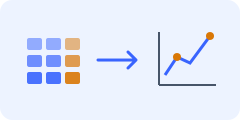
Predict and restore
Train a Credit classifier, save its fitted wrapper, and evaluate the checkpoint.
 Run the tutorial
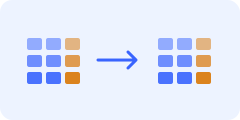
Generate and evaluate
Create a synthetic Credit table and evaluate it through TabEval.
 Run the tutorial
Predict and restore#
Train a linear classifier and save its wrapper:
bash docs/tutorial/example_scripts/prediction/train.sh
#!/usr/bin/env bash
set -euo pipefail

# Run from the repository root. Extra CLI options can be appended.
python -m src.tabstruct.experiment.run_experiment \
  --pipeline prediction \
  --task classification \
  --model lr \
  --dataset credit-g \
  --test_size 0.2 \
  --valid_size 0.1 \
  --test_id 0 \
  --valid_id 0 \
  --device cpu \
  --save_model \
  --tags tutorial-prediction \
  "$@"
Expected output: metrics for all splits and
logs/<configured-project>/<run-id>/lr.pkl. Read best_model_path from
the W&B summary, or locate the file under that directory for a local run:
find logs -name lr.pkl
Restore the path from the training run:
bash docs/tutorial/example_scripts/prediction/eval.sh \
  logs/<configured-project>/<run-id>/lr.pkl
#!/usr/bin/env bash
set -euo pipefail

# First run prediction/train.sh, then pass its saved lr.pkl path.
if [ "$#" -eq 0 ]; then
  echo "Usage: bash docs/tutorial/example_scripts/prediction/eval.sh CHECKPOINT [CLI options]" >&2
  exit 2
fi
checkpoint_path="$1"
shift

python -m src.tabstruct.experiment.run_experiment \
  --pipeline prediction \
  --task classification \
  --model lr \
  --dataset credit-g \
  --test_size 0.2 \
  --valid_size 0.1 \
  --test_id 0 \
  --valid_id 0 \
  --device cpu \
  --eval_only \
  --saved_checkpoint_path "$checkpoint_path" \
  --tags tutorial-prediction-eval \
  "$@"
Expected output: evaluation of the saved classifier on the same splits. This workflow requires the same dependencies and preprocessing configuration as training. See Workflows for methods that reconstruct from reference training rows instead of saving a fitted wrapper.
Generate and evaluate a table#
Generate synthetic rows before evaluating them:
bash docs/tutorial/example_scripts/generation/train.sh
#!/usr/bin/env bash
set -euo pipefail

# Run from the repository root. Save a CSV before invoking generation/eval.sh.
python -m src.tabstruct.experiment.run_experiment \
  --pipeline generation \
  --task classification \
  --model smote \
  --dataset credit-g \
  --test_size 0.2 \
  --valid_size 0.1 \
  --test_id 0 \
  --valid_id 0 \
  --device cpu \
  --generation_only \
  --generation_ratio 1 \
  --tags tutorial-generation \
  "$@"
Expected output: synthetic_samples.csv under the run directory, with
original feature names and the original target column. The sample count is
one times the processed training count. SMOTE needs enough training examples
in every class for its neighbor configuration.
Read generated_data_path from the W&B summary, or locate the CSV for a
local run:
find logs -name synthetic_samples.csv
Pass the path from the generation run to the evaluator:
bash docs/tutorial/example_scripts/generation/eval.sh \
  logs/<configured-project>/<run-id>/synthetic_samples.csv
#!/usr/bin/env bash
set -euo pipefail

# First run generation/train.sh, then pass its synthetic_samples.csv path.
if [ "$#" -eq 0 ]; then
  echo "Usage: bash docs/tutorial/example_scripts/generation/eval.sh SYNTHETIC_CSV [CLI options]" >&2
  exit 2
fi
synthetic_path="$1"
shift

python -m src.tabstruct.experiment.run_experiment \
  --pipeline generation \
  --task classification \
  --model smote \
  --dataset credit-g \
  --test_size 0.2 \
  --valid_size 0.1 \
  --test_id 0 \
  --valid_id 0 \
  --device cpu \
  --eval_only \
  --synthetic_data_path "$synthetic_path" \
  --disable_synthetic_data_validation \
  --enable_eval_structure \
  --tags tutorial-generation-eval \
  "$@"
Expected output: density and DCR metrics on training rows and per-feature structural metrics against real test rows. Structural evaluation trains predictors for every column and takes longer than CSV generation.
The evaluation script deliberately bypasses W&B generator-provenance lookup for its explicit CSV path. CSV loading, column types, and metric preprocessing still use the real named dataset. Keep the generation and evaluation split settings identical. See Evaluation for the split policy and CLI Reference for additional flags.
Python entry point#
The same workflow can return its metric dictionary to Python:
from src.tabstruct.experiment.run_experiment import run_experiment

metrics = run_experiment([
    "--pipeline", "prediction",
    "--task", "classification",
    "--model", "lr",
    "--dataset", "credit-g",
    "--device", "cpu",
    "--tags", "tutorial-python",
])
print(metrics["test_metrics"]["balanced_accuracy"])
This launches a complete experiment, including logging and runtime setup. For lower-level interfaces and fitted-state requirements, see API Reference.